
Image-to-Video vs Reference-to-Video in Vidu Q4: Which One to Use
Vidu Q4 has two ways to make a video: animate one starting image, or build a new scene from reference images. Here is how they differ, when to use each, and how the prompts change — with real examples.
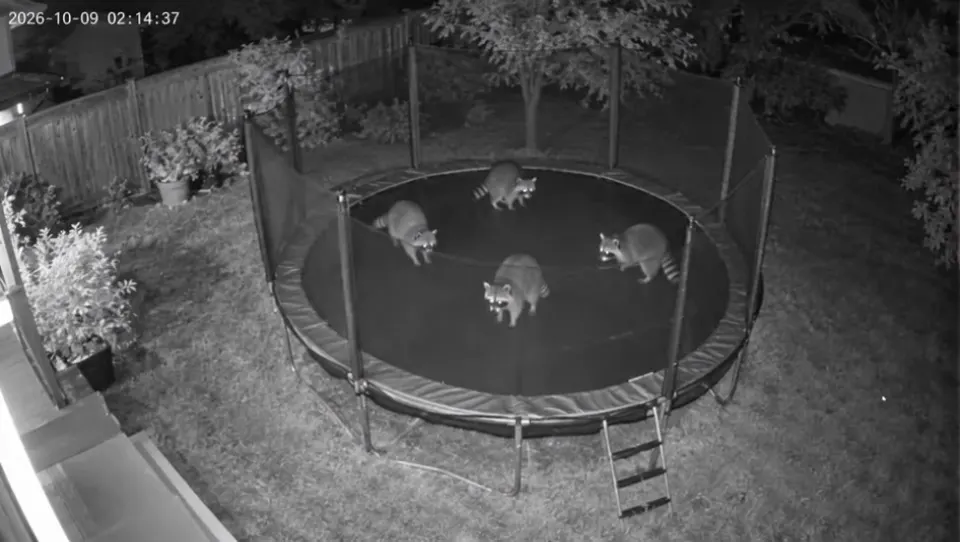
Vidu Q4 Preview has no text-only mode. Every video starts from images, in one of two ways:
- Image-to-video: you upload one picture, and the video starts from it. The picture is your opening frame.
- Reference-to-video: you upload several pictures (characters, a location, a product, optional voice clips), and the model shoots a new scene with them.
In one line: image-to-video brings a picture to life; reference-to-video casts a scene.
Side by side
| Image-to-video | Reference-to-video | |
|---|---|---|
| What you upload | One image | Up to 12 images + up to 3 MP3 voice clips |
| What the image does | Becomes the opening frame | Acts as reference material: who, where, what |
| Composition | Fixed by your image | Decided by your prompt |
| Aspect ratio | Follows your image | You choose: 16:9, 9:16, 1:1, 4:3 or 3:4 |
| Prompt style | Describe what changes from the picture | Name each @Image, then direct the shots |
| Consistency across cuts | Locked at the start; may drift after a hard cut | Each shot can lean on the references |
| Length | 3–16 seconds | 3–16 seconds |
| Price on viduq4.xyz | Same per second | Same per second |
Image-to-video: when the picture is the point
Use image-to-video when you already have the exact frame you want: a photo, an illustration, a product shot, an old portrait, a fake security-cam still. The model keeps your composition and adds motion and sound.
Write the prompt as what happens next, not what the picture shows. The model can already see the picture.
Fixed security camera, no camera movement, night-vision infrared grayscale, light sensor noise and compression artifacts, the corner timestamp stays static. 0-3s: the raccoons on the trampoline start bouncing one after another, small clumsy hops, fur puffing up on each landing. 3-6s: the biggest raccoon bounces higher, attempts a clumsy half flip and lands on its back; the others keep hopping. 6-8s: all four raccoons freeze mid-bounce and stare straight into the camera. Audio: rhythmic trampoline spring creaks synced to each landing, soft thumps; crickets and one distant dog bark; faint camera electrical hum. No music, no dialogue. Keep exactly four raccoons the whole time; none disappear, merge or change shape.
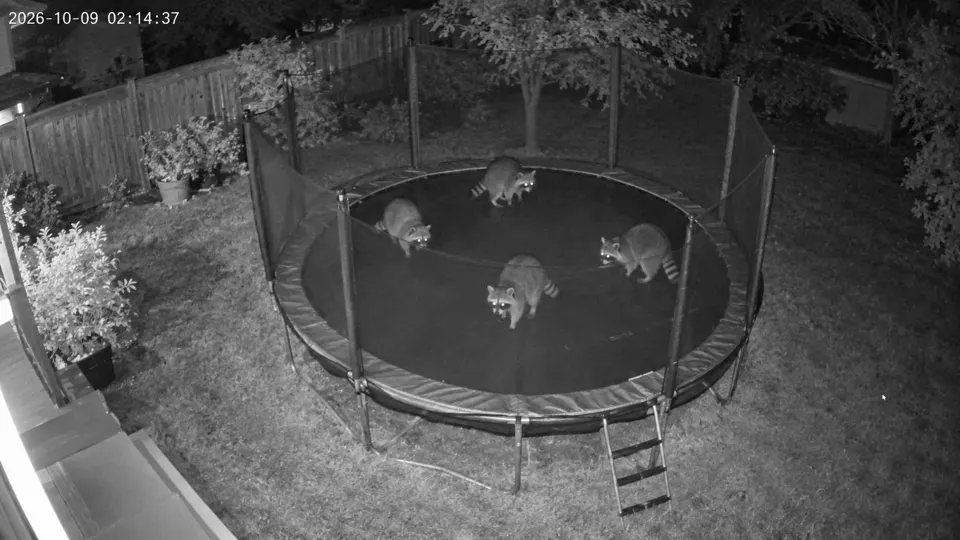
The opening frame matches the starting image: same yard, same trampoline, same four raccoons. Vidu describes Q4's image-to-video as built for high-motion scenes like fights, sprints and clashes, so it suits action that starts from a strong opening frame.
Good for: photo animation, product shots, fake found footage, keeping an illustrator's exact composition.
Reference-to-video: when you need a cast
Use reference-to-video when the scene doesn't exist yet: you have a character and a place, and you want a new shot list with them. It's also the mode for dialogue with a specific voice (upload an MP3) and for several shots that cut between angles while keeping the same character.
Live sports broadcast look, dramatic arena lighting. @Image 2 is the diving arena. @Image 1 is the cat athlete; keep its grey long fur and red swim cap with a white stripe exactly. Shot 1 (0-3s): low-angle shot, @Image 1 stands at the edge of the 10-meter platform, focused, tail still. Shot 2 (3-6s): slow motion, the cat leaps and executes a tight twisting somersault, water glittering below. Shot 3 (6-8s): clean rip entry with almost no splash; the crowd leaps up. Audio: an excited male commentator at 6s: "Unbelievable! A perfect entry!"; crisp splash; arena murmur rising to a huge roar. No music. No logos, no text on screen.
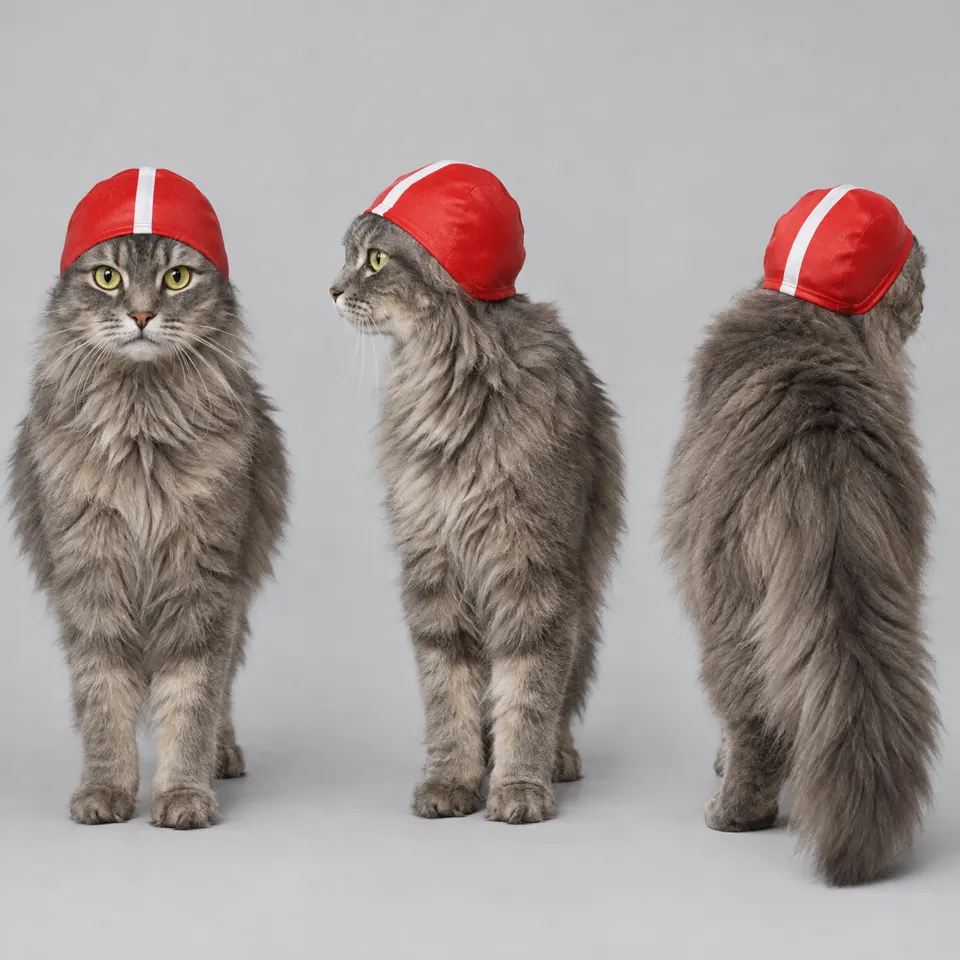
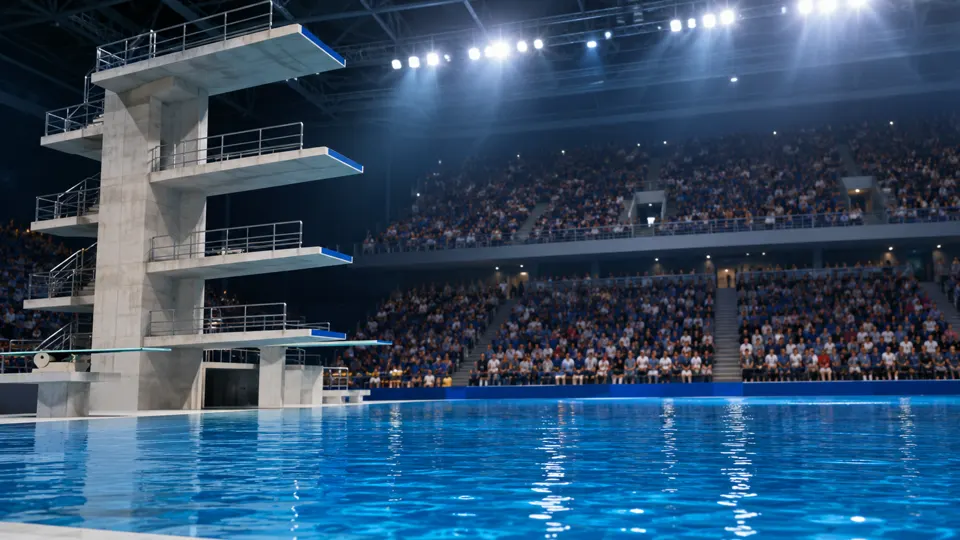
Neither image shows the cat on the platform. The model put them together into three new shots and kept the cap and fur consistent through each cut.
Good for: characters in new scenes, short dramas, talking characters, product ads with a separate set, anything with several shots.
How to choose
| If you want to… | Use |
|---|---|
| Animate a photo or illustration exactly as it is | Image-to-video |
| Control the opening frame precisely | Image-to-video |
| Put a character into a new place | Reference-to-video |
| Combine a character, a location and a product | Reference-to-video |
| Make a character speak with a specific voice | Reference-to-video |
| Cut between several angles with the same character | Reference-to-video |
| Pick a vertical 9:16 format from a landscape image | Reference-to-video (image-to-video follows your image) |
How the prompt changes
Image-to-video: no @ tags. Describe motion, camera and sound, starting from the picture:
The woman keeps waving as the camera rises straight up...
Reference-to-video: name every image first, then direct:
@Image 3 is the boarding gate. @Image 1 is the kangaroo, @Image 2 is its owner...
Both modes respond well to timecoded shots, layered audio and a closing lock line. See the Vidu Q4 prompt guide.
FAQ
Is one mode better quality than the other? Not in general. They solve different problems. Pick based on whether you need an exact opening frame (image-to-video) or a cast that holds up across shots (reference-to-video).
Can I use image-to-video with a character I want to keep consistent? Yes, for one continuous shot. If your prompt cuts to a very different angle, the character may drift, because only the opening frame is locked. For multi-shot scenes, reference-to-video is the safer choice.
Does image-to-video generate sound too? Yes. Both modes generate audio with the video. Describe it in the prompt.
Which costs more? Neither. On viduq4.xyz both are priced per second by resolution. An 8-second 540p test is 72 credits in either mode.
Ready to try? Open Image to Video or Reference to Video, or read how reference images work first.
viduq4.xyz is an independent website and is not affiliated with Vidu or ShengShu Technology. All clips in this post were generated on viduq4.xyz with Vidu Q4 Preview.